Could you advise where I can find the commission fees for trades in the report? I can only find the total for purchases and sales in the “PortfolioAnalyst” report.
Many thanks for the help, I’ll have to check right away 
My account is in dollars. I wonder if the tax authorities will accept the exchange rate from the bank transfer date. If the rate has to be from the trade date, I won’t finish in time as there are hundreds of trades.
Personally, I would at least first provide the broker’s report or calculations based on it. After all, that is the documentation the tax authorities expect you to submit. It doesn’t follow the Finnish tax authorities’ instructions to the letter, but it’s consistent and doesn’t particularly lean towards over- or under-taxation. So, in practice, over the long run, the differences between the report and the correct calculation method will likely cancel each other out.
4 Likes
I use the annual average exchange rate found on the tax authority’s website.
3 Likes
IBKR
There are many reports available, but I haven’t yet found them itemized in the way the Finnish tax authority requires:
Total sales price
Total capital gains
Total capital losses
I did it myself. It took 20 minutes.
2 Likes
Would it perhaps be possible for me to trouble you to tell me how  ? I would be extremely grateful for the help, as I’m starting to feel some stress about whether I’ll finish in time, given that I still have the NN Swedish account to figure out, which looks like it’ll involve calculating from a 111-page Swedish K4 report
3 Likes
Here is one way. There are others:
- Import the trade report in CSV format into a spreadsheet and clean out all the unnecessary data.
- In the report, separate all trades into their own (new) columns for profitable selling prices, loss-making selling prices, and the purchase prices (basis) for both. A total of four columns of data.
- Calculate the column sums for the profitable selling prices and their purchase prices.
- Do the same for the loss-making ones.
- The year’s profits and losses can be easily obtained from the sums calculated above.
- You will have to do some manual row deletions if the report contains pre-calculated subtotals. I don’t remember if it does.
- I also don’t remember if trading fees are included in the purchase or sale prices in the report. Check this. If not, add/subtract them before summing everything up.
edit: basis price (purchase) includes purchase costs. Proceeds price (sale) does not include sales costs. - If currency matters need to be added, include them in an appropriate way (e.g., calculate conversions for those transactions using the daily closing rate or the annual average rate suggested by the tax authority).
With this method, it shouldn’t really matter whether there are dozens or thousands of transactions. The 20 minutes mentioned by @T3r00 is a fairly optimistic time estimate, but not impossible for a skilled user.
8 Likes
I did it as a lump sum.
I have a custom report with everything that happened during the year.
I took the purchases, sales, expenses, and profit from the bottom line and converted them into euros. I attached that thousand-page report as an enclosure.
It was accepted last year, too. It went through a manual review, and I think the tax assessment was finalized in October.
6 Likes
So from that total asset you get those acquisitions.

Edit: I left out that currency conversion because it’s computational. No money changed hands and that currency conversion is stated at the year’s average exchange rate.
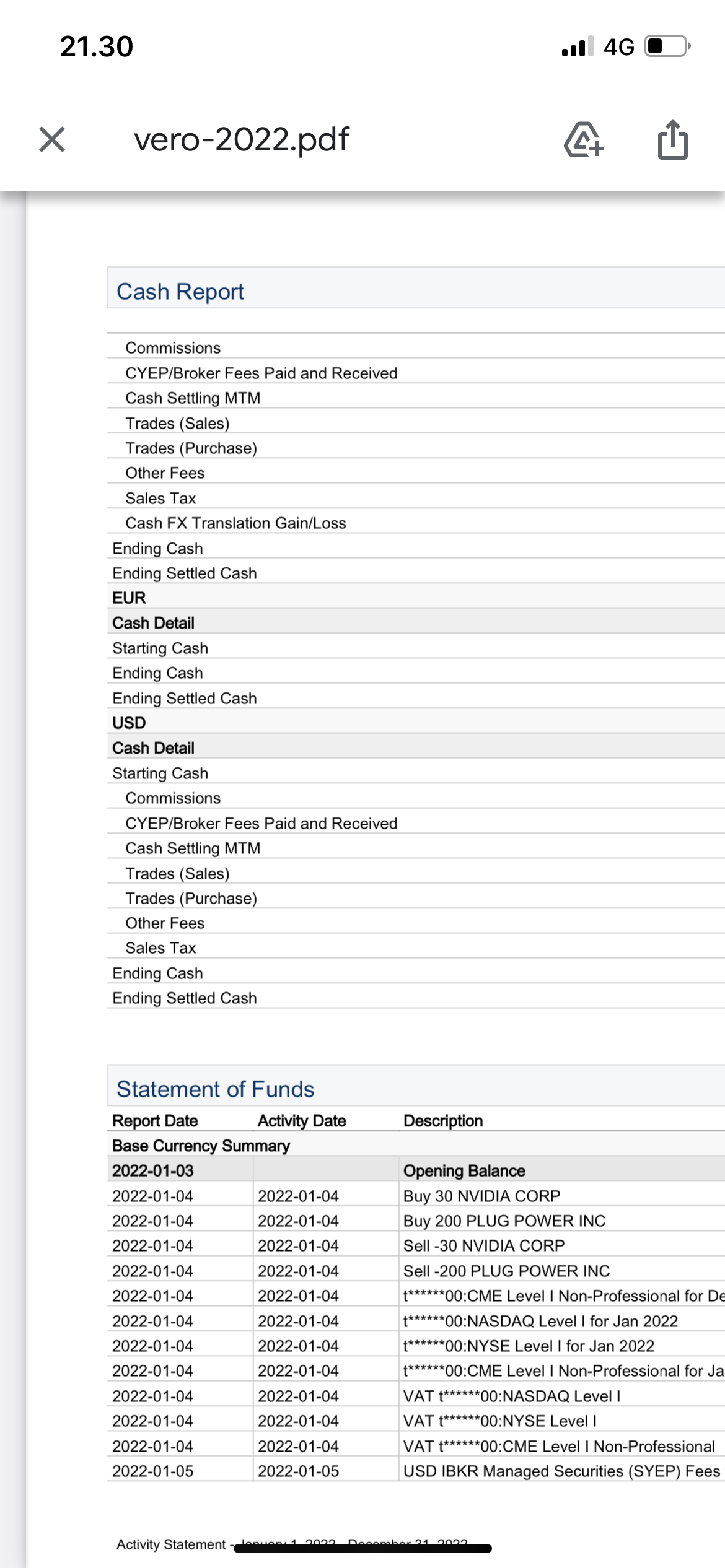
In this report they are clearer.
2 Likes
It’s getting challenging, but I have to try making a custom report. There are many choices, but I’ve only done stock trades on the US exchange—luckily no call and put options or anything else complicated for a beginner yet.
Take the figures from the cash report - everything you need is there + the exchange rate from the tax office
and check that the figures are the same as in the realized report. They should be, if you didn’t own anything over the turn of the year.
Attach both as an appendix, or just run one report.
1 Like
Now I’m getting close; I found the cash report section and the exact figures I need are right there. It’s not in a printable format, but in the worst-case scenario, a screenshot and the realized report you mentioned will work. It was just a holding of a few dozen over the turn of the year, some leftovers from a split, so maybe this will suffice. Thanks a lot for your effort and advice.
1 Like
You can get everything out of there as a PDF, which can be attached to your tax return as is. Or if you are indeed filing a paper return, it will print out on paper.
3 Likes
Doesn’t TW update anything more frequently than every minute unless you pay extra? But yeah, TradingView doesn’t seem to be fully synchronized at least with IBKR, especially regarding penny stocks, and as a trading platform IBKR usually shows the price at which the asset is actually moving at any given time.
1 Like
In this case, I have real-time enabled and yet there is a delay for a few stocks.
Typo, I meant TV aka Tradingview
1 Like
By TW, do you mean TWS, i.e., Trader Workstation? Or something else?
3 Likes
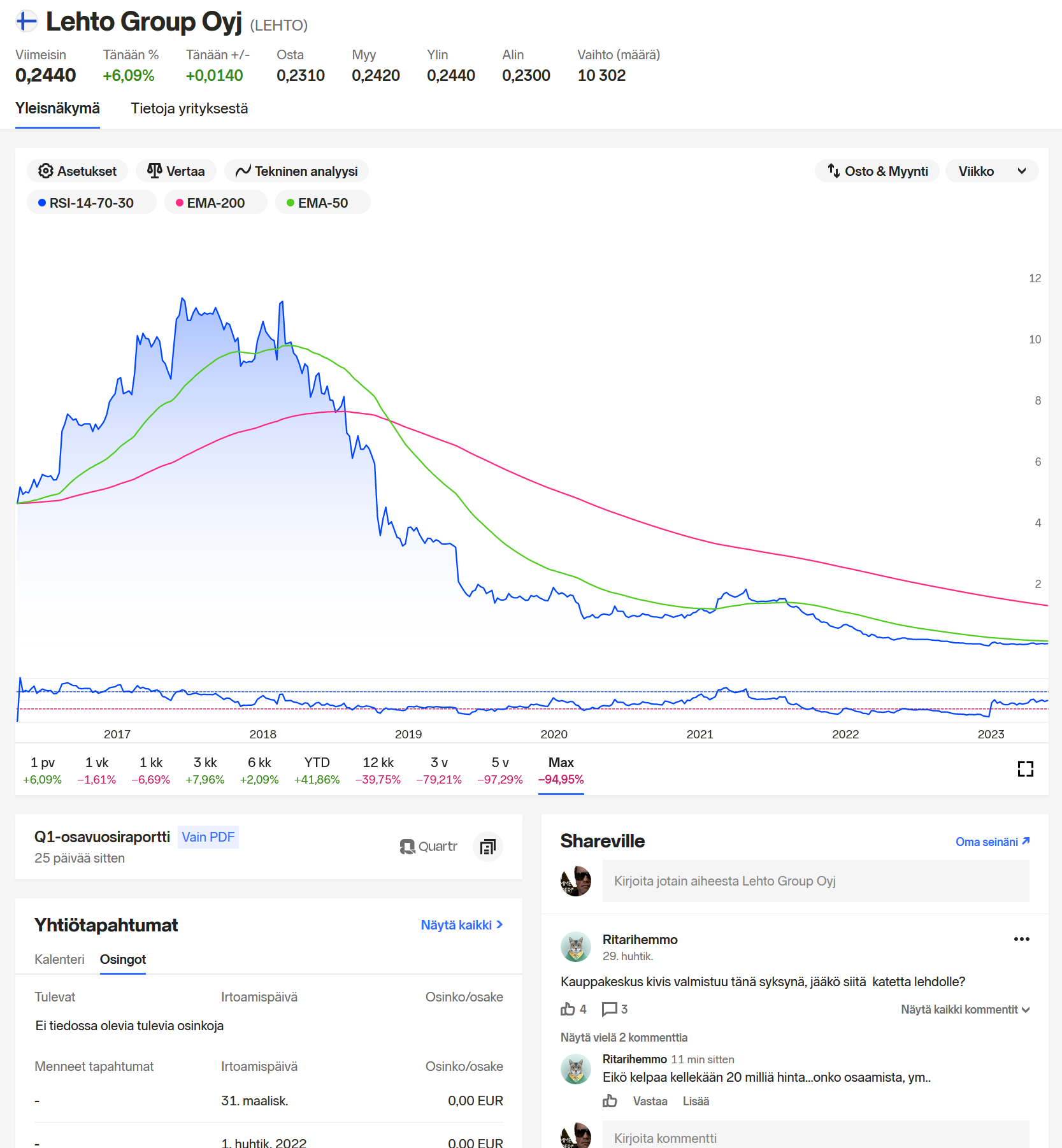
Didn’t they plan something like that earlier this year—that Shareville would become part of the Nordnet UI? I don’t think quite everything is there yet (e.g., portfolio rating, tracking, and groups), but at least the main features have been visible for a while now. For example, ticker comments:
1 Like
Yeah, everything is being integrated into one platform. SV features will be added gradually (e.g., the Feed should arrive in the summer) and the separate Share will be closed during 2024.
Hmm, a Shareville profile has now appeared for me on the Nordnet homepage as well, and it also includes a link to groups. The groups even open within Nordnet, rather than just being a link to Shareville.
2 Likes